Compare commits
| Author | SHA1 | Date | |
|---|---|---|---|
 Yao Fang |
8453525251 | ||
|
Yao Fang
|
22c6152e03 | ||
|
Yao Fang
|
c95a538994 | ||
|
Yao Fang
|
aa02559e19 | ||
|
Yao Fang
|
bd107334ef | ||
|
Yao Fang
|
c6fc4b1667 | ||
|
Yao Fang
|
23858257c1 | ||
|
Yao Fang
|
6b4c200997 | ||
|
Yao Fang
|
64ad42d94f | ||
|
Yao Fang
|
c15d73e36a | ||
|
Yao Fang
|
d29e21bbf0 | ||
|
Yao Fang
|
98ef8d1ec7 | ||
|
Yao Fang
|
3f1f065e71 | ||
|
Yao
|
e51604bfde | ||
|
Yao
|
efedc7e361 | ||
|
Yao
|
a0d3d76545 | ||
|
Yao Fang
|
8ed6ee4231 | ||
|
Yao Fang
|
0d011ebb5b | ||
|
Yao Fang
|
5d58fe5503 | ||
|
Yao Fang
|
82c2bddf6d | ||
|
Yao Fang
|
ff4bd13342 | ||
|
Yao Fang
|
72612ff0cf | ||
|
Yao Fang
|
af9acb32cd | ||
|
Yao Fang
|
f1a71ce528 | ||
|
Yao Fang
|
39fc2926c0 | ||
|
Yao Fang
|
0d04cd736e | ||
|
Yao Fang
|
bf9559a2cc | ||
|
Yao Fang
|
beb4921602 | ||
|
Yao Fang
|
a81eb3bbef | ||
|
Yao Fang
|
5f170cc27a | ||
|
Yao Fang
|
a25b0e490d | ||
|
Yao Fang
|
757efd55be |
No files matched your search
@@ -352,3 +352,4 @@ $RECYCLE.BIN/
|
||||
/backend/models/ch_rec/inference.pdiparams
|
||||
/output/
|
||||
/test.py
|
||||
/dylib/
|
||||
@@ -1,12 +1,14 @@
|
||||
简体中文 | [English](README_en.md)
|
||||
|
||||
## 项目简介
|
||||
|
||||

|
||||

|
||||

|
||||

|
||||
|
||||
video-subtitle-extractor是一款将视频中的硬字幕提取为外挂字幕文件(srt格式)的软件。
|
||||
主要实现了以下功能:
|
||||
|
||||
- 提取视频中的关键帧
|
||||
- 检测视频帧中文本的所在位置
|
||||
- 识别视频帧中文本的内容
|
||||
@@ -14,6 +16,18 @@ video-subtitle-extractor是一款将视频中的硬字幕提取为外挂字幕
|
||||
- 去除重复字幕行,去除水印(台标)文本
|
||||
- 生成srt字幕文件
|
||||
|
||||
**下载地址**:
|
||||
|
||||
- Windows CPU版本:
|
||||
- 国内:<a href="https://github.91chifun.workers.dev/https://github.com//YaoFANGUK/video-subtitle-extractor/releases/download/0.1.0/vse_windows_CPU.zip">vse_windows_CPU.zip</a>
|
||||
- 国外:<a href="https://github.com/YaoFANGUK/video-subtitle-extractor/releases/download/0.1.0/vse_windows_CPU.zip">vse_windows_CPU.zip</a>
|
||||
|
||||
- MacOS CPU版本:
|
||||
- 国内:<a href="https://github.91chifun.workers.dev/https://github.com//YaoFANGUK/video-subtitle-extractor/releases/download/0.1.0/vse_macOS_CPU.dmg">vse_macOS_CPU.dmg</a>
|
||||
- 国外:<a href="https://github.com/YaoFANGUK/video-subtitle-extractor/releases/download/0.1.0/vse_macOS_CPU.dmg">vse_macOS_CPU.dmg</a>
|
||||
|
||||
|
||||
|
||||
## 项目特色
|
||||
|
||||
- 采用本地进行OCR识别,无需设置调用任何API,不需要接入百度、阿里等在线OCR服务即可本地完成文本识别
|
||||
@@ -21,60 +35,124 @@ video-subtitle-extractor是一款将视频中的硬字幕提取为外挂字幕
|
||||
- (CLI版本) 无需用户手动设置字幕区域,项目通过文本检测模型自动检测字幕区域
|
||||
- (GUI版本) 图形化界面
|
||||
|
||||
<img src="https://z3.ax1x.com/2021/04/09/cNrA1A.png">
|
||||
<img src="https://z3.ax1x.com/2021/04/09/cNrA1A.png" alt="demo">
|
||||
|
||||
点击【打开】后选择视频文件,调整字幕区域,点击【运行】
|
||||
|
||||
|
||||
> **有任何改进意见请在ISSUES中提出**
|
||||
|
||||
|
||||
## 演示视频 (CLI版)
|
||||
|
||||
## 演示
|
||||
|
||||
- GUI版:
|
||||
|
||||
<div align="center">
|
||||
<img src="design/demo.gif"/>
|
||||
</div>
|
||||
<p style="text-align:center;"><img src="design/demo.gif" alt="demo.gif"/></p>
|
||||
|
||||
- CLI版:
|
||||
|
||||
[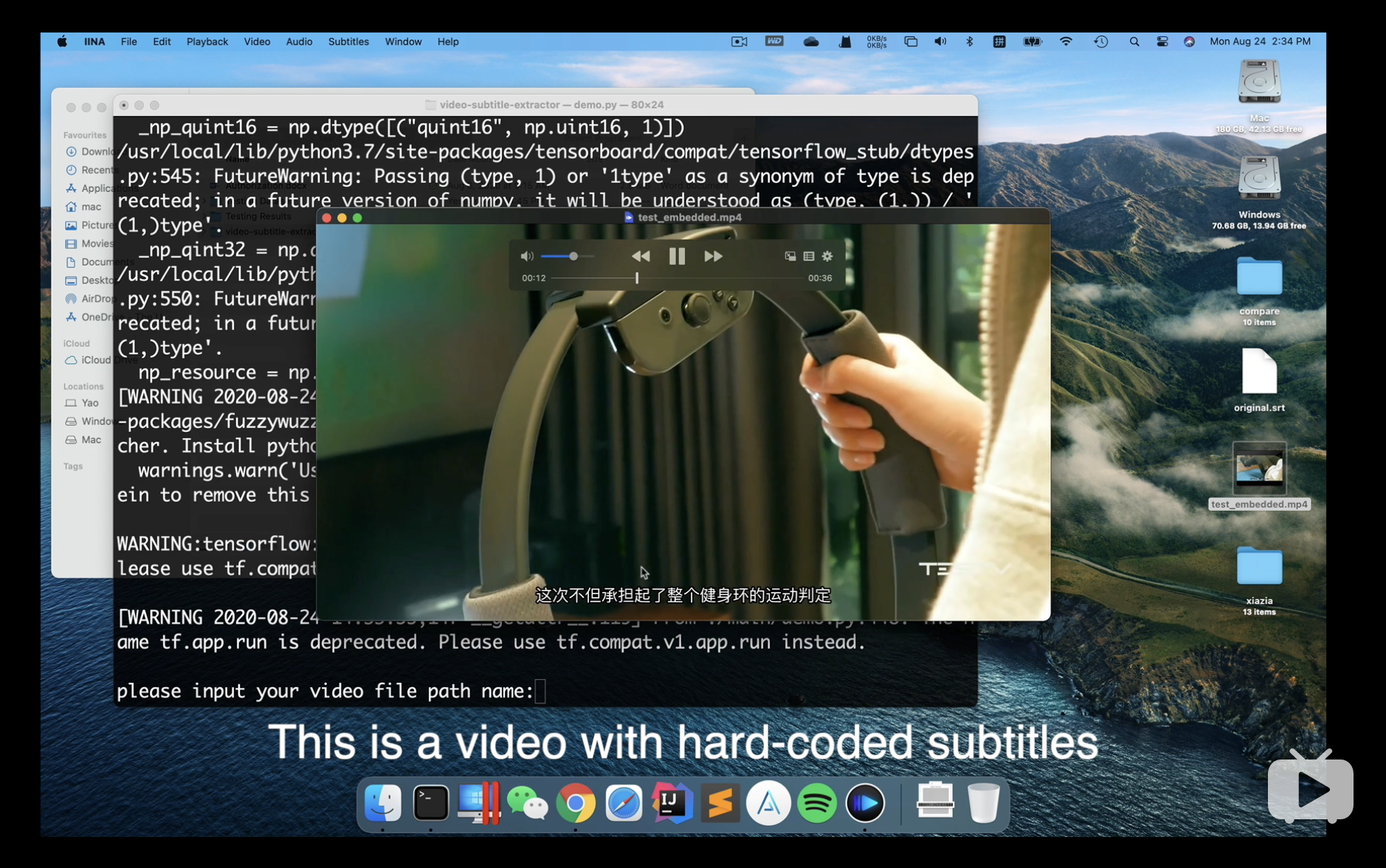](https://www.bilibili.com/video/BV1t5411h78J "Demo Video")
|
||||
|
||||
|
||||
|
||||
## 在线运行
|
||||
|
||||
- 使用**Google Colab Notebook**(免费GPU): <a href="https://colab.research.google.com/github/YaoFANGUK/video-subtitle-extractor/blob/main/google_colab.ipynb"><img src="https://colab.research.google.com/assets/colab-badge.svg" alt="Open In Colab"></a>
|
||||
|
||||
> PS: Google Colab只能运行CLI版本
|
||||
|
||||
|
||||
|
||||
## 使用说明
|
||||
|
||||
#### 1. (推荐) 下载安装Anaconda
|
||||
[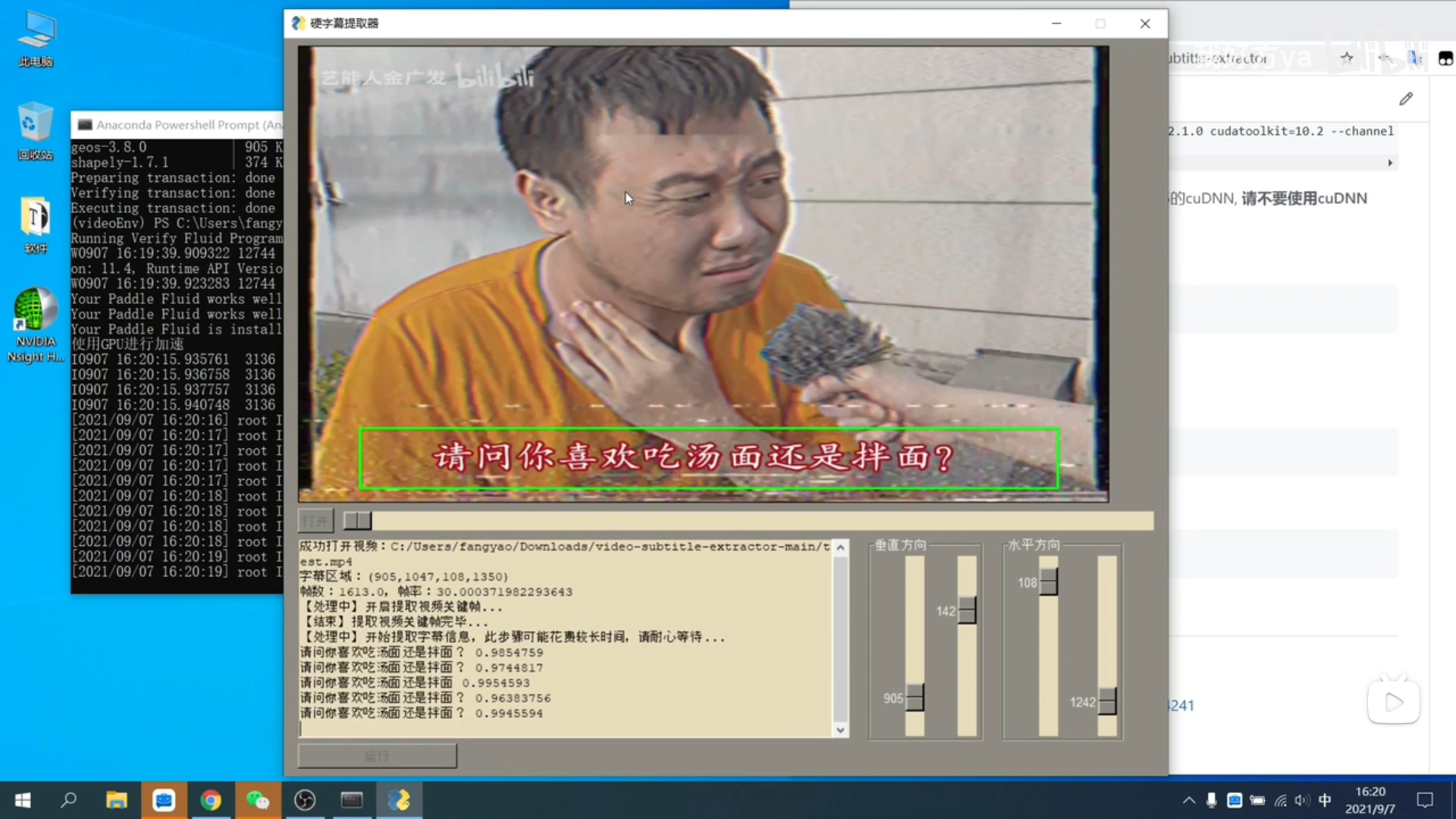](https://www.bilibili.com/video/bv11L4y1Y7Tj "GUP版本安装教程")
|
||||
|
||||
#### 1. 下载安装Anaconda
|
||||
|
||||
<a href="https://www.anaconda.com/products/individual">https://www.anaconda.com/products/individual#Downloads</a>
|
||||
|
||||
#### 2. (推荐) 使用conda创建项目虚拟环境并激活环境 (建议创建虚拟环境运行,以免后续出现问题)
|
||||
#### 2. 使用conda创建项目虚拟环境并激活环境 (建议创建虚拟环境运行,以免后续出现问题)
|
||||
|
||||
```shell
|
||||
conda create --name videoEnv python=3.8
|
||||
```
|
||||
|
||||
```shell
|
||||
conda create --name videoEnv python=3.7
|
||||
conda activate videoEnv
|
||||
```
|
||||
|
||||
#### 3. 使用pip安装依赖文件
|
||||
#### 3. 安装依赖文件
|
||||
|
||||
如果没有安装Anaconda,请确保你已经安装 python 3.7
|
||||
请确保你已经安装 python 3.8+
|
||||
|
||||
- mac用户, CPU用户:
|
||||
- CPU用户 (mac用户) :
|
||||
|
||||
```shell
|
||||
pip install -r requirements.txt
|
||||
```
|
||||
- 安装依赖:
|
||||
|
||||
- 有N卡的GPU用户: **要达到高精度的识别率请使用GPU版**
|
||||
```shell
|
||||
pip install -r requirements.txt
|
||||
```
|
||||
|
||||
```shell
|
||||
pip install -r requirements_gpu.txt
|
||||
```
|
||||
- GPU用户(有N卡): **要达到高精度的识别率请使用GPU版**
|
||||
|
||||
- 安装CUDA 10.2和cuDNN 7.6.5
|
||||
|
||||
<details>
|
||||
<summary>Linux用户</summary>
|
||||
<h5>(1) 下载CUDA 10.2</h5>
|
||||
<pre><code>wget https://developer.download.nvidia.com/compute/cuda/10.2/Prod/local_installers/cuda_10.2.89_440.33.01_linux.run</code></pre>
|
||||
<h5>(2) 安装CUDA 10.2</h5>
|
||||
<pre><code>sudo sh cuda_10.2.89_440.33.01_linux.run --override</code></pre>
|
||||
<p>1. 输入accept</p>
|
||||
<img src="https://z3.ax1x.com/2021/05/24/gv0AVU.png" width="500" alt="">
|
||||
<p>2. 选中CUDA Toolkit 10.2(如果你没有安装nvidia驱动则选中Driver,如果你已经安装了nvidia驱动请不要选中driver),之后选中install,回车</p>
|
||||
<img src="https://z3.ax1x.com/2021/05/24/gv0dMt.png" width="500" alt="">
|
||||
<p>3. 添加环境变量</p>
|
||||
<p>在 ~/.bashrc 加入以下内容</p>
|
||||
<pre><code># CUDA
|
||||
export PATH=/usr/local/cuda-10.2/bin${PATH:+:${PATH}}
|
||||
export LD_LIBRARY_PATH=/usr/local/cuda-10.2/lib64${LD_LIBRARY_PATH:+:${LD_LIBRARY_PATH}}</code></pre>
|
||||
<p>使其生效</p>
|
||||
<pre><code>source ~/.bashrc</code></pre>
|
||||
<h5>(3) 下载cuDNN 7.6.5</h5>
|
||||
<p>国内:<a href="https://github.91chifun.workers.dev/https://github.com//YaoFANGUK/video-subtitle-extractor/releases/download/0.1.0/cudnn-10.2-linux-x64-v7.6.5.32.tgz">cudnn-10.2-linux-x64-v7.6.5.32.tgz</a></p>
|
||||
<p>国外:<a href="https://github.com/YaoFANGUK/video-subtitle-extractor/releases/download/0.1.0/cudnn-10.2-linux-x64-v7.6.5.32.tgz">cudnn-10.2-linux-x64-v7.6.5.32.tgz</a></p>
|
||||
<h5>(4) 安装cuDNN 7.6.5</h5>
|
||||
<pre><code> tar -zxvf cudnn-10.2-linux-x64-v7.6.5.32.tgz
|
||||
sudo cp ./cuda/include/* /usr/local/cuda-10.2/include/
|
||||
sudo cp ./cuda/lib64/* /usr/local/cuda-10.2/lib64/
|
||||
sudo chmod a+r /usr/local/cuda-10.2/lib64/*
|
||||
sudo chmod a+r /usr/local/cuda-10.2/include/*</code></pre>
|
||||
</details>
|
||||
|
||||
|
||||
<details>
|
||||
<summary>Windows用户</summary>
|
||||
<h5>(1) 下载CUDA 10.2</h5>
|
||||
<a href="https://developer.download.nvidia.com/compute/cuda/10.2/Prod/local_installers/cuda_10.2.89_441.22_win10.exe">cuda_10.2.89_441.22_win10.exe</a>
|
||||
<h5>(2) 安装CUDA 10.2</h5>
|
||||
<h5>(3) 下载cuDNN 7.6.5</h5>
|
||||
<p>国内:<a href="https://github.91chifun.workers.dev/https://github.com//YaoFANGUK/video-subtitle-extractor/releases/download/0.1.0/cudnn-10.2-windows10-x64-v7.6.5.32.zip">cudnn-10.2-windows10-x64-v7.6.5.32.zip</a></p>
|
||||
<p>国外:<a href="https://github.com/YaoFANGUK/video-subtitle-extractor/releases/download/0.1.0/cudnn-10.2-windows10-x64-v7.6.5.32.zip">cudnn-10.2-windows10-x64-v7.6.5.32.zip</a></p>
|
||||
<h5>(4) 安装cuDNN 7.6.5</h5>
|
||||
<p>
|
||||
将cuDNN解压后的cuda文件夹中的bin, include, lib目录下的文件复制到C:\Program Files\NVIDIA GPU Computing Toolkit\CUDA\v10.2\ 对应目录下
|
||||
</p>
|
||||
</details>
|
||||
|
||||
- 安装paddlepaddle:
|
||||
|
||||
```shell
|
||||
conda install -y paddlepaddle-gpu==2.1.0 cudatoolkit=10.2 --channel https://mirrors.tuna.tsinghua.edu.cn/anaconda/cloud/Paddle/
|
||||
```
|
||||
|
||||
> 如果安装cuda 10.2,请对应安装7.6.5的cuDNN, **请不要使用cuDNN v8.x 和 cuda 10.2的组合**
|
||||
|
||||
- 安装其他依赖:
|
||||
|
||||
```shell
|
||||
pip install -r requirements_gpu.txt
|
||||
```
|
||||
|
||||
#### 4. 运行程序
|
||||
|
||||
@@ -90,11 +168,17 @@ python gui.py
|
||||
python main.py
|
||||
```
|
||||
|
||||
## Debug
|
||||
|
||||
- Windows下出现geos_c.dll错误
|
||||
|
||||
```integrationperformancetest
|
||||
## 常见问题与解决方案
|
||||
|
||||
#### 1. CondaHTTPError
|
||||
|
||||
解决方案:<a href="https://zhuanlan.zhihu.com/p/260034241">https://zhuanlan.zhihu.com/p/260034241</a>
|
||||
|
||||
#### 2. Windows下出现geos_c.dll错误
|
||||
|
||||
```text
|
||||
_lgeos = CDLL(os.path.join(sys.prefix, 'Library', 'bin', 'geos_c.dll'))
|
||||
File "C:\Users\Flavi\anaconda3\envs\subEnv\lib\ctypes\__init__.py", line 364, in __init__
|
||||
self._handle = _dlopen(self._name, mode)
|
||||
@@ -104,11 +188,18 @@ OSError: [WinError 126] 找不到指定的模块。
|
||||
解决方案:
|
||||
|
||||
1) 卸载Shapely
|
||||
|
||||
```shell
|
||||
pip uninstall Shapely -y
|
||||
```
|
||||
```
|
||||
|
||||
2) 使用conda重新安装Shapely
|
||||
|
||||
```shell
|
||||
conda install Shapely
|
||||
```
|
||||
|
||||
#### 3. 语音配合优化提取速度
|
||||
|
||||
项目地址: https://github.com/m986883511/extract-video-subtittle
|
||||
感谢作者:m986883511
|
||||
+96
-31
@@ -1,20 +1,24 @@
|
||||
[简体中文](README.md) | English
|
||||
|
||||
## Introduction
|
||||

|
||||

|
||||
|
||||

|
||||

|
||||

|
||||
|
||||
video-subtitle-extractor is used to extract hard-coded subtitles and generate **srt** file. It includes the following implementations:
|
||||
video-subtitle-extractor aims at extracting hard-coded subtitles and generating **srt** file. It includes the following
|
||||
implementations:
|
||||
|
||||
- detect and extract subtitle frames (and keyframes using traditional graphic method)
|
||||
- detect the position (i.e. coordinates) of subtitles (as well as scene text if you want) (using deep learning method)
|
||||
- recognise the content of subtitles (i.e. converting graphic text into plain-text) (using deep learning method)
|
||||
- detect subtitle areas (i.e., coordinates) (as well as scene text if you want) (using deep learning algorithms)
|
||||
- recognise the content of subtitles (i.e., converting graphic text into plain-text) (using deep learning algorithms)
|
||||
- filter non-subtitle text
|
||||
- remove duplicated subtitle line
|
||||
- generate srt file
|
||||
|
||||
|
||||
**Download**:
|
||||
- Windows:<a href="https://github.com/YaoFANGUK/video-subtitle-extractor/releases/download/0.1.0/vse_windows_CPU.zip">vse_windows_CPU.zip</a>
|
||||
- MacOS:<a href="https://github.com/YaoFANGUK/video-subtitle-extractor/releases/download/0.1.0/vse_macOS_CPU.dmg">vse_macOS_CPU.dmg</a>
|
||||
|
||||
## Features
|
||||
|
||||
@@ -23,52 +27,119 @@ video-subtitle-extractor is used to extract hard-coded subtitles and generate **
|
||||
- For Command Line Interface(CLI) version, you don't need to manually set the location of subtitle. This program will automatically detect the subtitle area for you.
|
||||
- GPU support is available. You can install CUDA and cuDNN to speed up the detection and recognition process and even get more accurate results.
|
||||
|
||||
<img src="https://z3.ax1x.com/2021/04/09/cNrA1A.png" alt="demo">
|
||||
|
||||
> **Provide your suggestions to improve this project in ISSUES**
|
||||
|
||||
|
||||
## Demo
|
||||
|
||||
- Graphic User Interface:
|
||||
- Graphic User Interface (GUI):
|
||||
|
||||
<img src="https://z3.ax1x.com/2021/04/09/cNrA1A.png">
|
||||
<p style="text-align:center;"><img src="design/demo.gif" alt="demo.gif"/></p>
|
||||
|
||||
<div align="center">
|
||||
<img src="design/demo.gif"/>
|
||||
</div>
|
||||
|
||||
- Command Line Interface:
|
||||
- Command Line Interface (CLI):
|
||||
|
||||
[](https://www.bilibili.com/video/BV1t5411h78J "Demo Video")
|
||||
|
||||
|
||||
## Running Online
|
||||
|
||||
- **Google Colab Notebook with free GPU**: <a href="https://colab.research.google.com/github/YaoFANGUK/video-subtitle-extractor/blob/main/google_colab_en.ipynb"><img src="https://colab.research.google.com/assets/colab-badge.svg" alt="Open In Colab"></a>
|
||||
|
||||
> PS: can only run CLI version on Google Colab
|
||||
|
||||
|
||||
## Getting Started
|
||||
|
||||
#### 1. (Optional) Download and Install Anaconda
|
||||
#### 1. Download and Install Anaconda
|
||||
|
||||
<a href="https://www.anaconda.com/products/individual">https://www.anaconda.com/products/individual#Downloads</a>
|
||||
|
||||
#### 2. (Optional) create and activate a conda virtual environment
|
||||
#### 2. Create and activate a conda virtual environment
|
||||
|
||||
```shell
|
||||
conda create --name videoEnv python=3.8
|
||||
```
|
||||
|
||||
```shell
|
||||
conda create --name videoEnv python=3.7
|
||||
conda activate videoEnv
|
||||
```
|
||||
|
||||
#### 3. Install dependencies via pip
|
||||
|
||||
make sure you have python 3.7 installed
|
||||
make sure you have python 3.8 installed
|
||||
|
||||
- for macOS users and users who have CPU only:
|
||||
- For macOS users and users who have CPU only::
|
||||
|
||||
```shell
|
||||
pip install -r requirements.txt
|
||||
```
|
||||
- Install dependencies:
|
||||
|
||||
- for users who have Nvidia graphic card:
|
||||
```shell
|
||||
pip install -r requirements.txt
|
||||
```
|
||||
|
||||
- For users who have Nvidia graphic card: **GPU version can achieve better accuracy**
|
||||
|
||||
- Install **CUDA 10.2** and **cuDNN 7.6.5**
|
||||
|
||||
<details>
|
||||
<summary>Linux</summary>
|
||||
<h5>(1) Download CUDA 10.2</h5>
|
||||
<pre><code>wget https://developer.download.nvidia.com/compute/cuda/10.2/Prod/local_installers/cuda_10.2.89_440.33.01_linux.run</code></pre>
|
||||
<h5>(2) Install CUDA 10.2</h5>
|
||||
<pre><code>sudo sh cuda_10.2.89_440.33.01_linux.run --override</code></pre>
|
||||
<p>1. Input accept</p>
|
||||
<img src="https://z3.ax1x.com/2021/05/24/gv0AVU.png" width="500" alt="">
|
||||
<p>2. make sure CUDA Toolkit 10.2 is chosen (If you have already installed driver, do not select Driver)</p>
|
||||
<img src="https://z3.ax1x.com/2021/05/24/gv0dMt.png" width="500" alt="">
|
||||
<p>3. Add environment variables</p>
|
||||
<p>add the following content in <strong>~/.bashrc</strong></p>
|
||||
<pre><code># CUDA
|
||||
export PATH=/usr/local/cuda-10.2/bin${PATH:+:${PATH}}
|
||||
export LD_LIBRARY_PATH=/usr/local/cuda-10.2/lib64${LD_LIBRARY_PATH:+:${LD_LIBRARY_PATH}}</code></pre>
|
||||
<p>Make sure it works</p>
|
||||
<pre><code>source ~/.bashrc</code></pre>
|
||||
<h5>(3) Download cuDNN 7.6.5</h5>
|
||||
<p><a href="https://github.com/YaoFANGUK/video-subtitle-extractor/releases/download/0.1.0/cudnn-10.2-linux-x64-v7.6.5.32.tgz">cudnn-10.2-linux-x64-v7.6.5.32.tgz</a></p>
|
||||
<h5>(4) Install cuDNN 7.6.5</h5>
|
||||
<pre><code> tar -zxvf cudnn-10.2-linux-x64-v7.6.5.32.tgz
|
||||
sudo cp ./cuda/include/* /usr/local/cuda-10.2/include/
|
||||
sudo cp ./cuda/lib64/* /usr/local/cuda-10.2/lib64/
|
||||
sudo chmod a+r /usr/local/cuda-10.2/lib64/*
|
||||
sudo chmod a+r /usr/local/cuda-10.2/include/*</code></pre>
|
||||
</details>
|
||||
|
||||
<details>
|
||||
<summary>Windows</summary>
|
||||
<h5>(1) Download CUDA 10.2</h5>
|
||||
<a href="https://developer.download.nvidia.com/compute/cuda/10.2/Prod/local_installers/cuda_10.2.89_441.22_win10.exe">cuda_10.2.89_441.22_win10.exe</a>
|
||||
<h5>(2) Install CUDA 10.2</h5>
|
||||
<h5>(3) Download cuDNN 7.6.5</h5>
|
||||
<p><a href="https://github.com/YaoFANGUK/video-subtitle-extractor/releases/download/0.1.0/cudnn-10.2-windows10-x64-v7.6.5.32.zip">cudnn-10.2-windows10-x64-v7.6.5.32.zip</a></p>
|
||||
<h5>(4) Install cuDNN 7.6.5</h5>
|
||||
<p>
|
||||
unzip "cudnn-10.2-windows10-x64-v7.6.5.32.zip", then move all files in "bin, include, lib" in cuda
|
||||
directory to C:\Program Files\NVIDIA GPU Computing Toolkit\CUDA\v10.2\
|
||||
</p>
|
||||
</details>
|
||||
|
||||
|
||||
|
||||
- Install paddlepaddle:
|
||||
|
||||
```shell
|
||||
conda install -y paddlepaddle-gpu==2.1.0 cudatoolkit=10.2 --channel https://mirrors.tuna.tsinghua.edu.cn/anaconda/cloud/Paddle/
|
||||
```
|
||||
|
||||
> If you installed cuda 10.2,please install cuDNN 7.6.5 instead of cuDNN v8.x
|
||||
|
||||
- Install other dependencies:
|
||||
|
||||
```shell
|
||||
pip install -r requirements_gpu.txt
|
||||
```
|
||||
|
||||
```shell
|
||||
pip install -r requirements_gpu.txt
|
||||
```
|
||||
|
||||
#### 4. Running the program
|
||||
|
||||
@@ -84,13 +155,7 @@ python gui.py
|
||||
python main.py
|
||||
```
|
||||
|
||||
|
||||
|
||||
## Run on Google Colab
|
||||
|
||||
- **Google Colab Notebook with free GPU**: <a href="https://colab.research.google.com/github/YaoFANGUK/video-subtitle-extractor/blob/main/google_colab.ipynb"><img src="https://colab.research.google.com/assets/colab-badge.svg" alt="Open In Colab"></a>
|
||||
|
||||
## Debug
|
||||
## Q & A
|
||||
|
||||
- For Windows users, if you encounter errors related to "geos_c.dll"
|
||||
|
||||
|
||||
Binary file not shown.
Binary file not shown.
Binary file not shown.
Binary file not shown.
Binary file not shown.
Binary file not shown.

Binary file not shown.
|
After Width: | Height: | Size: 6.4 KiB |
@@ -0,0 +1,41 @@
|
||||
# -*- mode: python ; coding: utf-8 -*-
|
||||
|
||||
|
||||
block_cipher = None
|
||||
|
||||
|
||||
a = Analysis(['gui.py'],
|
||||
pathex=['/Users/yao/anaconda3/envs/subEnv/lib/python3.7/site-packages', '/Users/yao/Github/video-subtitle-extractor'],
|
||||
binaries=[('/Users/yao/Github/video-subtitle-extractor/dylib/libgeos_c.dylib', '.')],
|
||||
datas=[('/Users/yao/Github/video-subtitle-extractor/backend', 'backend'),
|
||||
('/Users/yao/Github/video-subtitle-extractor/vse.ico', '.')
|
||||
],
|
||||
hiddenimports=['imgaug', 'skimage.filters.rank.core_cy_3d',
|
||||
'pyclipper', 'lmdb'],
|
||||
hookspath=[],
|
||||
runtime_hooks=[],
|
||||
excludes=[],
|
||||
win_no_prefer_redirects=False,
|
||||
win_private_assemblies=False,
|
||||
cipher=block_cipher,
|
||||
noarchive=False)
|
||||
pyz = PYZ(a.pure, a.zipped_data,
|
||||
cipher=block_cipher)
|
||||
exe = EXE(pyz,
|
||||
a.scripts,
|
||||
a.binaries,
|
||||
a.zipfiles,
|
||||
a.datas,
|
||||
[],
|
||||
name='vse',
|
||||
debug=False,
|
||||
bootloader_ignore_signals=False,
|
||||
strip=False,
|
||||
upx=True,
|
||||
upx_exclude=[],
|
||||
runtime_tmpdir=None,
|
||||
console=False , icon='vse.ico')
|
||||
app = BUNDLE(exe,
|
||||
name='Subtitle Extractor.app',
|
||||
icon='vse.ico',
|
||||
bundle_identifier=None)
|
||||
Binary file not shown.
|
After Width: | Height: | Size: 66 KiB |
+154
-404
@@ -1,414 +1,164 @@
|
||||
{
|
||||
"cells": [
|
||||
{
|
||||
"cell_type": "markdown",
|
||||
"metadata": {
|
||||
"id": "WAJ7lA2wuvR8"
|
||||
},
|
||||
"source": [
|
||||
"# 运行教程\n",
|
||||
"\n",
|
||||
"1. 点击“修改” -> \"笔记本设置\" -> \"硬件加速器GPU\" -> 保存\n",
|
||||
"<img src=\"https://z3.ax1x.com/2021/03/30/ciQWWV.png\">\n",
|
||||
"\n",
|
||||
"2. 点左侧文件夹图标,上传视频文件,复制上传的视频路径\n",
|
||||
"\n",
|
||||
"<img src=\"https://z3.ax1x.com/2021/03/30/cilvhq.png\">\n",
|
||||
"\n",
|
||||
"3. 运行代码, 输入粘贴的视频路径\n",
|
||||
"\n",
|
||||
"\n"
|
||||
]
|
||||
},
|
||||
{
|
||||
"cell_type": "markdown",
|
||||
"metadata": {
|
||||
"id": "_jPi_FBwyZyr"
|
||||
},
|
||||
"source": [
|
||||
"查看是否有GPU"
|
||||
]
|
||||
},
|
||||
{
|
||||
"cell_type": "code",
|
||||
"execution_count": null,
|
||||
"metadata": {
|
||||
"nbformat": 4,
|
||||
"nbformat_minor": 0,
|
||||
"metadata": {
|
||||
"accelerator": "GPU",
|
||||
"colab": {
|
||||
"base_uri": "https://localhost:8080/"
|
||||
"name": "video-subtitle-extractor.ipynb",
|
||||
"provenance": [],
|
||||
"collapsed_sections": []
|
||||
},
|
||||
"id": "eHPHc_Bheo-j",
|
||||
"outputId": "cdd6ec77-0c14-4530-e184-9da8d6f230e0"
|
||||
},
|
||||
"outputs": [
|
||||
{
|
||||
"name": "stdout",
|
||||
"output_type": "stream",
|
||||
"text": [
|
||||
"Tue Mar 30 04:53:52 2021 \n",
|
||||
"+-----------------------------------------------------------------------------+\n",
|
||||
"| NVIDIA-SMI 460.56 Driver Version: 460.32.03 CUDA Version: 11.2 |\n",
|
||||
"|-------------------------------+----------------------+----------------------+\n",
|
||||
"| GPU Name Persistence-M| Bus-Id Disp.A | Volatile Uncorr. ECC |\n",
|
||||
"| Fan Temp Perf Pwr:Usage/Cap| Memory-Usage | GPU-Util Compute M. |\n",
|
||||
"| | | MIG M. |\n",
|
||||
"|===============================+======================+======================|\n",
|
||||
"| 0 Tesla T4 Off | 00000000:00:04.0 Off | 0 |\n",
|
||||
"| N/A 65C P8 11W / 70W | 0MiB / 15109MiB | 0% Default |\n",
|
||||
"| | | N/A |\n",
|
||||
"+-------------------------------+----------------------+----------------------+\n",
|
||||
" \n",
|
||||
"+-----------------------------------------------------------------------------+\n",
|
||||
"| Processes: |\n",
|
||||
"| GPU GI CI PID Type Process name GPU Memory |\n",
|
||||
"| ID ID Usage |\n",
|
||||
"|=============================================================================|\n",
|
||||
"| No running processes found |\n",
|
||||
"+-----------------------------------------------------------------------------+\n"
|
||||
]
|
||||
}
|
||||
],
|
||||
"source": [
|
||||
"!nvidia-smi"
|
||||
]
|
||||
},
|
||||
{
|
||||
"cell_type": "markdown",
|
||||
"metadata": {
|
||||
"id": "_85O6zgPyhto"
|
||||
},
|
||||
"source": [
|
||||
"# 安装依赖"
|
||||
]
|
||||
},
|
||||
{
|
||||
"cell_type": "code",
|
||||
"execution_count": null,
|
||||
"metadata": {
|
||||
"colab": {
|
||||
"base_uri": "https://localhost:8080/"
|
||||
"kernelspec": {
|
||||
"display_name": "Python 3",
|
||||
"language": "python",
|
||||
"name": "python3"
|
||||
},
|
||||
"id": "ICeq0T1FeqjT",
|
||||
"outputId": "8bb896d4-4826-4585-d69e-670a110d234d"
|
||||
},
|
||||
"outputs": [
|
||||
{
|
||||
"name": "stdout",
|
||||
"output_type": "stream",
|
||||
"text": [
|
||||
"Cloning into 'video-subtitle-extractor'...\n",
|
||||
"remote: Enumerating objects: 36, done.\u001b[K\n",
|
||||
"remote: Counting objects: 100% (36/36), done.\u001b[K\n",
|
||||
"remote: Compressing objects: 100% (29/29), done.\u001b[K\n",
|
||||
"remote: Total 383 (delta 18), reused 18 (delta 7), pack-reused 347\u001b[K\n",
|
||||
"Receiving objects: 100% (383/383), 151.42 MiB | 39.00 MiB/s, done.\n",
|
||||
"Resolving deltas: 100% (128/128), done.\n",
|
||||
"Checking out files: 100% (160/160), done.\n"
|
||||
]
|
||||
"language_info": {
|
||||
"codemirror_mode": {
|
||||
"name": "ipython",
|
||||
"version": 3
|
||||
},
|
||||
"file_extension": ".py",
|
||||
"mimetype": "text/x-python",
|
||||
"name": "python",
|
||||
"nbconvert_exporter": "python",
|
||||
"pygments_lexer": "ipython3",
|
||||
"version": "3.8.5"
|
||||
}
|
||||
],
|
||||
"source": [
|
||||
"!git clone https://github.com/YaoFANGUK/video-subtitle-extractor.git"
|
||||
]
|
||||
},
|
||||
{
|
||||
"cell_type": "code",
|
||||
"execution_count": null,
|
||||
"metadata": {},
|
||||
"outputs": [],
|
||||
"source": [
|
||||
"cd video-subtitle-extractor"
|
||||
]
|
||||
},
|
||||
{
|
||||
"cell_type": "code",
|
||||
"execution_count": null,
|
||||
"metadata": {},
|
||||
"outputs": [],
|
||||
"source": [
|
||||
"!pip install -r requirements_gpu.txt"
|
||||
]
|
||||
},
|
||||
{
|
||||
"cell_type": "markdown",
|
||||
"metadata": {
|
||||
"id": "SGb0i3tPyw9Q"
|
||||
},
|
||||
"source": [
|
||||
"# 运行程序"
|
||||
]
|
||||
},
|
||||
{
|
||||
"cell_type": "code",
|
||||
"execution_count": null,
|
||||
"metadata": {
|
||||
"colab": {
|
||||
"base_uri": "https://localhost:8080/"
|
||||
"cells": [
|
||||
{
|
||||
"cell_type": "markdown",
|
||||
"metadata": {
|
||||
"id": "WAJ7lA2wuvR8"
|
||||
},
|
||||
"source": [
|
||||
"# 运行教程\n",
|
||||
"\n",
|
||||
"1. 点击“修改” -> \"笔记本设置\" -> \"硬件加速器GPU\" -> 保存\n",
|
||||
"<img src=\"https://z3.ax1x.com/2021/03/30/ciQWWV.png\">\n",
|
||||
"\n",
|
||||
"2. 点左侧文件夹图标,上传视频文件,复制上传的视频路径\n",
|
||||
"\n",
|
||||
"<img src=\"https://z3.ax1x.com/2021/03/30/cilvhq.png\">\n",
|
||||
"\n",
|
||||
"3. 运行代码, 输入粘贴的视频路径\n",
|
||||
"\n",
|
||||
"\n"
|
||||
]
|
||||
},
|
||||
"id": "B2MPjMOOgGbD",
|
||||
"outputId": "40b65892-28ca-4af7-bb89-cd8716265644"
|
||||
},
|
||||
"outputs": [
|
||||
{
|
||||
"name": "stdout",
|
||||
"output_type": "stream",
|
||||
"text": [
|
||||
"Running Verify Fluid Program ... \n",
|
||||
"W0330 05:00:56.211509 282 device_context.cc:362] Please NOTE: device: 0, GPU Compute Capability: 7.5, Driver API Version: 11.2, Runtime API Version: 10.2\n",
|
||||
"W0330 05:00:56.217797 282 device_context.cc:372] device: 0, cuDNN Version: 7.6.\n",
|
||||
"Your Paddle Fluid works well on SINGLE GPU or CPU.\n",
|
||||
"Your Paddle Fluid works well on MUTIPLE GPU or CPU.\n",
|
||||
"Your Paddle Fluid is installed successfully! Let's start deep Learning with Paddle Fluid now\n",
|
||||
"使用GPU进行加速\n",
|
||||
"/usr/local/lib/python3.7/dist-packages/yaml/constructor.py:126: DeprecationWarning: Using or importing the ABCs from 'collections' instead of from 'collections.abc' is deprecated since Python 3.3,and in 3.9 it will stop working\n",
|
||||
" if not isinstance(key, collections.Hashable):\n",
|
||||
"请输入视频完整路径:/content/testvd.mp4\n",
|
||||
"帧数:568.0,帧率:30.000033010599704\n",
|
||||
"Step 1. 开启提取视频关键帧...\n",
|
||||
"提取视频关键帧完毕...\n",
|
||||
"Step 2. 开始提取字幕信息,此步骤可能花费较长时间,请耐心等待...\n",
|
||||
"[2021/03/30 05:01:15] root INFO: dt_boxes num : 4, elapse : 0.14402198791503906\n",
|
||||
"[2021/03/30 05:01:16] root INFO: rec_res num : 4, elapse : 0.06298613548278809\n",
|
||||
"['30', '编辑部评分是7.2分', 'TSST']\n",
|
||||
"[2021/03/30 05:01:16] root INFO: dt_boxes num : 3, elapse : 0.0818178653717041\n",
|
||||
"[2021/03/30 05:01:16] root INFO: rec_res num : 3, elapse : 0.03780984878540039\n",
|
||||
"['8', '编辑部评分是7.2分', 'TEST']\n",
|
||||
"[2021/03/30 05:01:16] root INFO: dt_boxes num : 4, elapse : 0.07239007949829102\n",
|
||||
"[2021/03/30 05:01:16] root INFO: rec_res num : 4, elapse : 0.03380751609802246\n",
|
||||
"['易', '8', '编辑部评分是7.2分', 'T-ST']\n",
|
||||
"[2021/03/30 05:01:16] root INFO: dt_boxes num : 5, elapse : 0.06836462020874023\n",
|
||||
"[2021/03/30 05:01:16] root INFO: rec_res num : 5, elapse : 0.041188955307006836\n",
|
||||
"['功能', '易用性', '编辑部评分是7.2分', 'TEST']\n",
|
||||
"[2021/03/30 05:01:16] root INFO: dt_boxes num : 6, elapse : 0.06691503524780273\n",
|
||||
"[2021/03/30 05:01:16] root INFO: rec_res num : 6, elapse : 0.05425071716308594\n",
|
||||
"['易用性', '正临', '编辑部评分是7.2分', 'TSSTI']\n",
|
||||
"[2021/03/30 05:01:16] root INFO: dt_boxes num : 5, elapse : 0.06857109069824219\n",
|
||||
"[2021/03/30 05:01:16] root INFO: rec_res num : 5, elapse : 0.034926652908325195\n",
|
||||
"['LE', '易用性', '而观众老爷们嘛']\n",
|
||||
"[2021/03/30 05:01:16] root INFO: dt_boxes num : 6, elapse : 0.06962084770202637\n",
|
||||
"[2021/03/30 05:01:17] root INFO: rec_res num : 6, elapse : 0.04759716987609863\n",
|
||||
"['写瓦', '二', '易用性', '而观众老爷们嘛']\n",
|
||||
"[2021/03/30 05:01:17] root INFO: dt_boxes num : 7, elapse : 0.06960034370422363\n",
|
||||
"[2021/03/30 05:01:17] root INFO: rec_res num : 7, elapse : 0.04424023628234863\n",
|
||||
"['?', '易用性', '而观众老爷们嘛']\n",
|
||||
"[2021/03/30 05:01:17] root INFO: dt_boxes num : 9, elapse : 0.06829595565795898\n",
|
||||
"[2021/03/30 05:01:17] root INFO: rec_res num : 9, elapse : 0.05313420295715332\n",
|
||||
"['易用性', '主题壁纸', '换机', '而观众老爷们嘛', 'T']\n",
|
||||
"[2021/03/30 05:01:17] root INFO: dt_boxes num : 8, elapse : 0.06818628311157227\n",
|
||||
"[2021/03/30 05:01:17] root INFO: rec_res num : 8, elapse : 0.05216336250305176\n",
|
||||
"['易用性', '而观众老爷们嘛', 'TEST']\n",
|
||||
"[2021/03/30 05:01:17] root INFO: dt_boxes num : 10, elapse : 0.06845855712890625\n",
|
||||
"[2021/03/30 05:01:17] root INFO: rec_res num : 10, elapse : 0.06405067443847656\n",
|
||||
"['功能', '回放', '易用性', '今日步数5084', '影音视听14分钟', '我们收到1569份评分', 'T-ST']\n",
|
||||
"[2021/03/30 05:01:17] root INFO: dt_boxes num : 6, elapse : 0.06773829460144043\n",
|
||||
"[2021/03/30 05:01:17] root INFO: rec_res num : 6, elapse : 0.05858922004699707\n",
|
||||
"['功能', '易用性', '14号', '我们收到1569份评分', 'TSST']\n",
|
||||
"[2021/03/30 05:01:18] root INFO: dt_boxes num : 11, elapse : 0.07036185264587402\n",
|
||||
"[2021/03/30 05:01:18] root INFO: rec_res num : 11, elapse : 0.0695803165435791\n",
|
||||
"['功能', '29', '期五', '易用性', '我们收到1569份评分', 'TEST']\n",
|
||||
"[2021/03/30 05:01:18] root INFO: dt_boxes num : 3, elapse : 0.0671992301940918\n",
|
||||
"[2021/03/30 05:01:18] root INFO: rec_res num : 3, elapse : 0.031127452850341797\n",
|
||||
"['我们收到1569份评分', 'TEST']\n",
|
||||
"[2021/03/30 05:01:18] root INFO: dt_boxes num : 9, elapse : 0.0686032772064209\n",
|
||||
"[2021/03/30 05:01:18] root INFO: rec_res num : 9, elapse : 0.05087685585021973\n",
|
||||
"['大圣净化', '23', '易翔,', '我们收到1569份评分', 'TEST']\n",
|
||||
"[2021/03/30 05:01:18] root INFO: dt_boxes num : 6, elapse : 0.06680893898010254\n",
|
||||
"[2021/03/30 05:01:18] root INFO: rec_res num : 6, elapse : 0.061042070388793945\n",
|
||||
"['功能', '大墨净化', '23', '易用性', '我们收到1569份评分', 'TEST']\n",
|
||||
"[2021/03/30 05:01:18] root INFO: dt_boxes num : 9, elapse : 0.07074356079101562\n",
|
||||
"[2021/03/30 05:01:18] root INFO: rec_res num : 9, elapse : 0.049074649810791016\n",
|
||||
"['功能', '23', '易用性', '我们收到1569份评分', 'TEST']\n",
|
||||
"[2021/03/30 05:01:18] root INFO: dt_boxes num : 7, elapse : 0.06651568412780762\n",
|
||||
"[2021/03/30 05:01:18] root INFO: rec_res num : 7, elapse : 0.054694414138793945\n",
|
||||
"['功能', '王价比', '易用性', '获得平均分83分', 'TEST']\n",
|
||||
"[2021/03/30 05:01:19] root INFO: dt_boxes num : 11, elapse : 0.0700066089630127\n",
|
||||
"[2021/03/30 05:01:19] root INFO: rec_res num : 11, elapse : 0.050124168395996094\n",
|
||||
"['功能', '29', '日历', '8:', '易用性', '生日', '获得平均分8分', 'TEST']\n",
|
||||
"[2021/03/30 05:01:19] root INFO: dt_boxes num : 11, elapse : 0.07042765617370605\n",
|
||||
"[2021/03/30 05:01:19] root INFO: rec_res num : 11, elapse : 0.05459332466125488\n",
|
||||
"['功能', '工', '29', '易用性', 'C', '获得平均分83分', 'TEST']\n",
|
||||
"[2021/03/30 05:01:19] root INFO: dt_boxes num : 10, elapse : 0.06987738609313965\n",
|
||||
"[2021/03/30 05:01:19] root INFO: rec_res num : 10, elapse : 0.057497262954711914\n",
|
||||
"['功能', '易用性', '获得平均分8.3分', 'T-ST']\n",
|
||||
"[2021/03/30 05:01:19] root INFO: dt_boxes num : 23, elapse : 0.07419443130493164\n",
|
||||
"[2021/03/30 05:01:19] root INFO: rec_res num : 23, elapse : 0.08902907371520996\n",
|
||||
"['功能', '利物浦', '1', '19:00', '回放', 'WE', '星', 'RNG', '00:30', '西汉姆', '利物酒', '照开更多', '易用性', '今日步数5084', '影音视听14分钟', '获得平均分8.3分', 'TEST', '设备']\n",
|
||||
"[2021/03/30 05:01:19] root INFO: dt_boxes num : 23, elapse : 0.07614350318908691\n",
|
||||
"[2021/03/30 05:01:19] root INFO: rec_res num : 23, elapse : 0.08669447898864746\n",
|
||||
"['功能', '19:00', '回放', 'WE', '1', 'RNG', '00:30', '西汉姆', '前', '利物薄', '前', '展开更多', '易用性', '今日步数5084', '屏幕使用2时38分', '131', 'T', '获得平均分8.3份', 'ST', '备']\n",
|
||||
"[2021/03/30 05:01:19] root INFO: dt_boxes num : 2, elapse : 0.06589818000793457\n",
|
||||
"[2021/03/30 05:01:19] root INFO: rec_res num : 2, elapse : 0.014737606048583984\n",
|
||||
"['易用性', '布朗熊与可妮兔']\n",
|
||||
"[2021/03/30 05:01:20] root INFO: dt_boxes num : 5, elapse : 0.06754112243652344\n",
|
||||
"[2021/03/30 05:01:20] root INFO: rec_res num : 5, elapse : 0.07237792015075684\n",
|
||||
"['易用性', '布朗熊与可妮兔', '米11在四个纬度的分数只高不低', 'Brown&Con']\n",
|
||||
"[2021/03/30 05:01:20] root INFO: dt_boxes num : 5, elapse : 0.06590557098388672\n",
|
||||
"[2021/03/30 05:01:20] root INFO: rec_res num : 5, elapse : 0.08357715606689453\n",
|
||||
"['易用性', '布朗熊与可妮鱼', '¥11在四个纬度的分数只高不低', 'Brown&ConY']\n",
|
||||
"[2021/03/30 05:01:20] root INFO: dt_boxes num : 4, elapse : 0.06757831573486328\n",
|
||||
"[2021/03/30 05:01:20] root INFO: rec_res num : 4, elapse : 0.026897192001342773\n",
|
||||
"['D', '易用性', 'Brown&Cony']\n",
|
||||
"[2021/03/30 05:01:20] root INFO: dt_boxes num : 6, elapse : 0.068145751953125\n",
|
||||
"[2021/03/30 05:01:20] root INFO: rec_res num : 6, elapse : 0.08809947967529297\n",
|
||||
"['HDn', '易用性', '布朗熊与可妮兔', '11在四个纬度的分数只高不低', '茶', 'Brown&Cony']\n",
|
||||
"[2021/03/30 05:01:20] root INFO: dt_boxes num : 5, elapse : 0.06944656372070312\n",
|
||||
"[2021/03/30 05:01:20] root INFO: rec_res num : 5, elapse : 0.02738165855407715\n",
|
||||
"['易用性', 'Brown&Cony', '茶']\n",
|
||||
"[2021/03/30 05:01:20] root INFO: dt_boxes num : 4, elapse : 0.06836795806884766\n",
|
||||
"[2021/03/30 05:01:21] root INFO: rec_res num : 4, elapse : 0.02448129653930664\n",
|
||||
"['易用性', 'Brown&Cony']\n",
|
||||
"[2021/03/30 05:01:21] root INFO: dt_boxes num : 3, elapse : 0.06509160995483398\n",
|
||||
"[2021/03/30 05:01:21] root INFO: rec_res num : 3, elapse : 0.0194094181060791\n",
|
||||
"['易用性', '茶', 'Brown&Cony']\n",
|
||||
"[2021/03/30 05:01:21] root INFO: dt_boxes num : 3, elapse : 0.06666183471679688\n",
|
||||
"[2021/03/30 05:01:21] root INFO: rec_res num : 3, elapse : 0.017718076705932617\n",
|
||||
"['易用性', '茶', 'Brown&Cony']\n",
|
||||
"[2021/03/30 05:01:21] root INFO: dt_boxes num : 4, elapse : 0.06582808494567871\n",
|
||||
"[2021/03/30 05:01:21] root INFO: rec_res num : 4, elapse : 0.025033950805664062\n",
|
||||
"['易用性', 'Brown&Cony']\n",
|
||||
"[2021/03/30 05:01:21] root INFO: dt_boxes num : 3, elapse : 0.0648648738861084\n",
|
||||
"[2021/03/30 05:01:21] root INFO: rec_res num : 3, elapse : 0.02213597297668457\n",
|
||||
"['易用性', '茶', 'Brown&Cony']\n",
|
||||
"[2021/03/30 05:01:21] root INFO: dt_boxes num : 3, elapse : 0.06644940376281738\n",
|
||||
"[2021/03/30 05:01:21] root INFO: rec_res num : 3, elapse : 0.019091129302978516\n",
|
||||
"['易用性', '茶', 'Brown&Cony']\n",
|
||||
"[2021/03/30 05:01:21] root INFO: dt_boxes num : 3, elapse : 0.06672954559326172\n",
|
||||
"[2021/03/30 05:01:21] root INFO: rec_res num : 3, elapse : 0.02083420753479004\n",
|
||||
"['易用性', '茶', 'Brown&Cony']\n",
|
||||
"[2021/03/30 05:01:21] root INFO: dt_boxes num : 4, elapse : 0.06565666198730469\n",
|
||||
"[2021/03/30 05:01:21] root INFO: rec_res num : 4, elapse : 0.02493119239807129\n",
|
||||
"['易用性', '茶', 'Brown&Cony']\n",
|
||||
"[2021/03/30 05:01:22] root INFO: dt_boxes num : 5, elapse : 0.06770944595336914\n",
|
||||
"[2021/03/30 05:01:22] root INFO: rec_res num : 5, elapse : 0.028589487075805664\n",
|
||||
"['易用性', '茶', 'Brown&Cony']\n",
|
||||
"[2021/03/30 05:01:22] root INFO: dt_boxes num : 3, elapse : 0.06848573684692383\n",
|
||||
"[2021/03/30 05:01:22] root INFO: rec_res num : 3, elapse : 0.021693706512451172\n",
|
||||
"['易用性', 'Brown&Cony']\n",
|
||||
"[2021/03/30 05:01:22] root INFO: dt_boxes num : 3, elapse : 0.06637048721313477\n",
|
||||
"[2021/03/30 05:01:22] root INFO: rec_res num : 3, elapse : 0.022501468658447266\n",
|
||||
"['易用性', '漆', 'Brown&Cony']\n",
|
||||
"[2021/03/30 05:01:22] root INFO: dt_boxes num : 3, elapse : 0.06774711608886719\n",
|
||||
"[2021/03/30 05:01:22] root INFO: rec_res num : 3, elapse : 0.021985292434692383\n",
|
||||
"['易用性', '茶', 'Brown&Cony']\n",
|
||||
"[2021/03/30 05:01:22] root INFO: dt_boxes num : 5, elapse : 0.06895327568054199\n",
|
||||
"[2021/03/30 05:01:22] root INFO: rec_res num : 5, elapse : 0.03924155235290527\n",
|
||||
"['功能', '价IE', '易用性', '看来在观众眼中', '1']\n",
|
||||
"[2021/03/30 05:01:22] root INFO: dt_boxes num : 5, elapse : 0.06944680213928223\n",
|
||||
"[2021/03/30 05:01:22] root INFO: rec_res num : 5, elapse : 0.03776049613952637\n",
|
||||
"['功能', '任价比', '易用性', '看来在观众眼中', 'PST']\n",
|
||||
"[2021/03/30 05:01:22] root INFO: dt_boxes num : 5, elapse : 0.06571078300476074\n",
|
||||
"[2021/03/30 05:01:23] root INFO: rec_res num : 5, elapse : 0.04117131233215332\n",
|
||||
"['功能', '价比', '易用性', '看来在观众眼中', 'TEST']\n",
|
||||
"[2021/03/30 05:01:23] root INFO: dt_boxes num : 5, elapse : 0.06788992881774902\n",
|
||||
"[2021/03/30 05:01:23] root INFO: rec_res num : 5, elapse : 0.0761101245880127\n",
|
||||
"['功能', '在价比', '易用性', '小米11还是十分值得购买的手机哟', 'TESTI']\n",
|
||||
"[2021/03/30 05:01:23] root INFO: dt_boxes num : 5, elapse : 0.06792283058166504\n",
|
||||
"[2021/03/30 05:01:23] root INFO: rec_res num : 5, elapse : 0.07545995712280273\n",
|
||||
"['功能', '任价比', '易用性', '小米11还是十分值得购买的手机哟', 'TEST']\n",
|
||||
"[2021/03/30 05:01:23] root INFO: dt_boxes num : 6, elapse : 0.06739664077758789\n",
|
||||
"[2021/03/30 05:01:23] root INFO: rec_res num : 6, elapse : 0.0957193374633789\n",
|
||||
"['功能', '价式', '易用性', '小米11还是十分值得购买的手机哟', 'T三STI']\n",
|
||||
"[2021/03/30 05:01:23] root INFO: dt_boxes num : 5, elapse : 0.0679783821105957\n",
|
||||
"[2021/03/30 05:01:23] root INFO: rec_res num : 5, elapse : 0.07640886306762695\n",
|
||||
"['功能', '易用性', '小米11还是十分值得购买的手机哟', 'TEST']\n",
|
||||
"[2021/03/30 05:01:23] root INFO: dt_boxes num : 5, elapse : 0.06631970405578613\n",
|
||||
"[2021/03/30 05:01:23] root INFO: rec_res num : 5, elapse : 0.07297635078430176\n",
|
||||
"['功能', '任价比', '易用性', '小米11还是十分值得购买的手机哟', 'TES']\n",
|
||||
"[2021/03/30 05:01:24] root INFO: dt_boxes num : 5, elapse : 0.06671547889709473\n",
|
||||
"[2021/03/30 05:01:24] root INFO: rec_res num : 5, elapse : 0.07393217086791992\n",
|
||||
"['功能', '易用性', '小米11还是十分值得购买的手机哟', 'T']\n",
|
||||
"[2021/03/30 05:01:24] root INFO: dt_boxes num : 5, elapse : 0.06604695320129395\n",
|
||||
"[2021/03/30 05:01:24] root INFO: rec_res num : 5, elapse : 0.07659339904785156\n",
|
||||
"['功能', 'DLL', '易用性', '小米11还是十分值得购买的手机哟', 'TPC']\n",
|
||||
"[2021/03/30 05:01:24] root INFO: dt_boxes num : 6, elapse : 0.06710600852966309\n",
|
||||
"[2021/03/30 05:01:24] root INFO: rec_res num : 6, elapse : 0.09409260749816895\n",
|
||||
"['功能', '易用性', '小米11还是十分值得购买的手机哟', 'TS']\n",
|
||||
"[2021/03/30 05:01:24] root INFO: dt_boxes num : 5, elapse : 0.06793045997619629\n",
|
||||
"[2021/03/30 05:01:24] root INFO: rec_res num : 5, elapse : 0.07574295997619629\n",
|
||||
"['功能', '易用性', '小米11还是十分值得购买的手机哟', 'T-C']\n",
|
||||
"[2021/03/30 05:01:24] root INFO: dt_boxes num : 5, elapse : 0.06672501564025879\n",
|
||||
"[2021/03/30 05:01:24] root INFO: rec_res num : 5, elapse : 0.07797956466674805\n",
|
||||
"['功能', '易用性', '小米11还是十分值得购买的手机哟', 'I']\n",
|
||||
"[2021/03/30 05:01:25] root INFO: dt_boxes num : 5, elapse : 0.06730794906616211\n",
|
||||
"[2021/03/30 05:01:25] root INFO: rec_res num : 5, elapse : 0.07574915885925293\n",
|
||||
"['功能', '王价L', '易用性', '小米11还是十分值得购买的手机哟', 'TEST']\n",
|
||||
"[2021/03/30 05:01:25] root INFO: dt_boxes num : 6, elapse : 0.06949663162231445\n",
|
||||
"[2021/03/30 05:01:25] root INFO: rec_res num : 6, elapse : 0.08900570869445801\n",
|
||||
"['功能', '易用性', '小米11还是十分值得购买的手机哟']\n",
|
||||
"[2021/03/30 05:01:25] root INFO: dt_boxes num : 5, elapse : 0.06655359268188477\n",
|
||||
"[2021/03/30 05:01:25] root INFO: rec_res num : 5, elapse : 0.07690143585205078\n",
|
||||
"['功能', '价L', '易用性', 'T', '小米11还是十分值得购买的手机哟']\n",
|
||||
"完成字幕提取,生成原始字幕文件...\n",
|
||||
"Step 3. 开始检测并过滤水印区域内容\n",
|
||||
"视频是否存在水印区域,存在的话输入y,不存在的话输入n: y\n",
|
||||
"请查看图片, 确定水印区域: /content/video-subtitle-extractor/output/watermark_area.jpg\n",
|
||||
"是否去除区域A((349, 432, 161, 181), 56)中的字幕?\n",
|
||||
"输入 \"y\" 或 \"回车\" 表示去除,输入\"n\"或其他表示不去除: y\n",
|
||||
"已经删除该区域字幕...\n",
|
||||
"是否去除区域B((1058, 1178, 262, 281), 32)中的字幕?\n",
|
||||
"输入 \"y\" 或 \"回车\" 表示去除,输入\"n\"或其他表示不去除: y\n",
|
||||
"已经删除该区域字幕...\n",
|
||||
"是否去除区域C((171, 224, 0, 12), 28)中的字幕?\n",
|
||||
"输入 \"y\" 或 \"回车\" 表示去除,输入\"n\"或其他表示不去除: y\n",
|
||||
"已经删除该区域字幕...\n",
|
||||
"是否去除区域D((353, 468, 327, 328), 27)中的字幕?\n",
|
||||
"输入 \"y\" 或 \"回车\" 表示去除,输入\"n\"或其他表示不去除: y\n",
|
||||
"已经删除该区域字幕...\n",
|
||||
"是否去除区域E((419, 870, 266, 291), 26)中的字幕?\n",
|
||||
"输入 \"y\" 或 \"回车\" 表示去除,输入\"n\"或其他表示不去除: n\n",
|
||||
"水印区域字幕过滤完毕...\n",
|
||||
"已经成功过滤水印区域内容\n",
|
||||
"Step 4. 开始检测非字幕区域,并将非字幕区域的内容删除\n",
|
||||
"请查看图片, 确定字幕区域是否正确: /content/video-subtitle-extractor/output/subtitle_area.jpg\n",
|
||||
"是否去除红色框区域外(216, 341)的字幕?\n",
|
||||
"输入 \"y\" 或 \"回车\" 表示去除,输入\"n\"或其他表示不去除: y\n",
|
||||
"去除完毕\n",
|
||||
"已将非字幕区域的内容删除\n",
|
||||
"Step 5. 开始生成字幕文件\n",
|
||||
"/content/testvd\n",
|
||||
"字幕文件生成位置:/content/testvd.srt\n",
|
||||
"字幕文件生成成功\n"
|
||||
]
|
||||
"cell_type": "markdown",
|
||||
"metadata": {
|
||||
"id": "_jPi_FBwyZyr"
|
||||
},
|
||||
"source": [
|
||||
"查看是否有GPU"
|
||||
]
|
||||
},
|
||||
{
|
||||
"cell_type": "code",
|
||||
"metadata": {
|
||||
"id": "eHPHc_Bheo-j"
|
||||
},
|
||||
"source": [
|
||||
"!nvidia-smi"
|
||||
],
|
||||
"execution_count": null,
|
||||
"outputs": []
|
||||
},
|
||||
{
|
||||
"cell_type": "code",
|
||||
"metadata": {
|
||||
"id": "TkQKKGKZkkT2"
|
||||
},
|
||||
"source": [
|
||||
"!nvcc -V"
|
||||
],
|
||||
"execution_count": null,
|
||||
"outputs": []
|
||||
},
|
||||
{
|
||||
"cell_type": "markdown",
|
||||
"metadata": {
|
||||
"id": "_85O6zgPyhto"
|
||||
},
|
||||
"source": [
|
||||
"# 安装依赖"
|
||||
]
|
||||
},
|
||||
{
|
||||
"cell_type": "code",
|
||||
"metadata": {
|
||||
"id": "ICeq0T1FeqjT"
|
||||
},
|
||||
"source": [
|
||||
"!git clone https://github.com/YaoFANGUK/video-subtitle-extractor.git"
|
||||
],
|
||||
"execution_count": null,
|
||||
"outputs": []
|
||||
},
|
||||
{
|
||||
"cell_type": "code",
|
||||
"metadata": {
|
||||
"id": "GHutEWynkMKR"
|
||||
},
|
||||
"source": [
|
||||
"cd video-subtitle-extractor"
|
||||
],
|
||||
"execution_count": null,
|
||||
"outputs": []
|
||||
},
|
||||
{
|
||||
"cell_type": "code",
|
||||
"metadata": {
|
||||
"id": "ynJydzo1kMKR"
|
||||
},
|
||||
"source": [
|
||||
"!pip install -r requirements_gpu.txt"
|
||||
],
|
||||
"execution_count": null,
|
||||
"outputs": []
|
||||
},
|
||||
{
|
||||
"cell_type": "code",
|
||||
"metadata": {
|
||||
"id": "3-GdvmaGl-aF"
|
||||
},
|
||||
"source": [
|
||||
"!pip install paddlepaddle-gpu==2.1.0"
|
||||
],
|
||||
"execution_count": null,
|
||||
"outputs": []
|
||||
},
|
||||
{
|
||||
"cell_type": "markdown",
|
||||
"metadata": {
|
||||
"id": "SGb0i3tPyw9Q"
|
||||
},
|
||||
"source": [
|
||||
"# 运行程序"
|
||||
]
|
||||
},
|
||||
{
|
||||
"cell_type": "code",
|
||||
"metadata": {
|
||||
"id": "B2MPjMOOgGbD"
|
||||
},
|
||||
"source": [
|
||||
"!python main.py"
|
||||
],
|
||||
"execution_count": null,
|
||||
"outputs": []
|
||||
},
|
||||
{
|
||||
"cell_type": "markdown",
|
||||
"metadata": {
|
||||
"id": "EGsjK3RRgIlD"
|
||||
},
|
||||
"source": [
|
||||
"<img src=\"\">"
|
||||
]
|
||||
}
|
||||
],
|
||||
"source": [
|
||||
"!python main.py"
|
||||
]
|
||||
},
|
||||
{
|
||||
"cell_type": "markdown",
|
||||
"metadata": {
|
||||
"id": "EGsjK3RRgIlD"
|
||||
},
|
||||
"source": [
|
||||
"<img src=\"\">"
|
||||
]
|
||||
}
|
||||
],
|
||||
"metadata": {
|
||||
"accelerator": "GPU",
|
||||
"colab": {
|
||||
"collapsed_sections": [],
|
||||
"name": "video-subtitle-extractor.ipynb",
|
||||
"provenance": []
|
||||
},
|
||||
"kernelspec": {
|
||||
"display_name": "Python 3",
|
||||
"language": "python",
|
||||
"name": "python3"
|
||||
},
|
||||
"language_info": {
|
||||
"codemirror_mode": {
|
||||
"name": "ipython",
|
||||
"version": 3
|
||||
},
|
||||
"file_extension": ".py",
|
||||
"mimetype": "text/x-python",
|
||||
"name": "python",
|
||||
"nbconvert_exporter": "python",
|
||||
"pygments_lexer": "ipython3",
|
||||
"version": "3.8.5"
|
||||
}
|
||||
},
|
||||
"nbformat": 4,
|
||||
"nbformat_minor": 1
|
||||
]
|
||||
}
|
||||
@@ -0,0 +1,164 @@
|
||||
{
|
||||
"nbformat": 4,
|
||||
"nbformat_minor": 0,
|
||||
"metadata": {
|
||||
"accelerator": "GPU",
|
||||
"colab": {
|
||||
"name": "video-subtitle-extractor.ipynb",
|
||||
"provenance": [],
|
||||
"collapsed_sections": []
|
||||
},
|
||||
"kernelspec": {
|
||||
"display_name": "Python 3",
|
||||
"language": "python",
|
||||
"name": "python3"
|
||||
},
|
||||
"language_info": {
|
||||
"codemirror_mode": {
|
||||
"name": "ipython",
|
||||
"version": 3
|
||||
},
|
||||
"file_extension": ".py",
|
||||
"mimetype": "text/x-python",
|
||||
"name": "python",
|
||||
"nbconvert_exporter": "python",
|
||||
"pygments_lexer": "ipython3",
|
||||
"version": "3.8.5"
|
||||
}
|
||||
},
|
||||
"cells": [
|
||||
{
|
||||
"cell_type": "markdown",
|
||||
"metadata": {
|
||||
"id": "WAJ7lA2wuvR8"
|
||||
},
|
||||
"source": [
|
||||
"# Set Up\n",
|
||||
"\n",
|
||||
"1. click “Edit” -> \"Notebook Settings\" -> \"Hardware accelerator, GPU\" -> Save\n",
|
||||
"<img src=\"https://z3.ax1x.com/2021/03/30/ciQWWV.png\">\n",
|
||||
"\n",
|
||||
"2. Click the folder icon on the left, upload your video file, and copy the uploaded video path\n",
|
||||
"\n",
|
||||
"<img src=\"https://z3.ax1x.com/2021/03/30/cilvhq.png\">\n",
|
||||
"\n",
|
||||
"3. Run the code, enter the pasted video path\n",
|
||||
"\n",
|
||||
"\n"
|
||||
]
|
||||
},
|
||||
{
|
||||
"cell_type": "markdown",
|
||||
"metadata": {
|
||||
"id": "_jPi_FBwyZyr"
|
||||
},
|
||||
"source": [
|
||||
"check whether GPU works"
|
||||
]
|
||||
},
|
||||
{
|
||||
"cell_type": "code",
|
||||
"metadata": {
|
||||
"id": "eHPHc_Bheo-j"
|
||||
},
|
||||
"source": [
|
||||
"!nvidia-smi"
|
||||
],
|
||||
"execution_count": null,
|
||||
"outputs": []
|
||||
},
|
||||
{
|
||||
"cell_type": "code",
|
||||
"metadata": {
|
||||
"id": "TkQKKGKZkkT2"
|
||||
},
|
||||
"source": [
|
||||
"!nvcc -V"
|
||||
],
|
||||
"execution_count": null,
|
||||
"outputs": []
|
||||
},
|
||||
{
|
||||
"cell_type": "markdown",
|
||||
"metadata": {
|
||||
"id": "_85O6zgPyhto"
|
||||
},
|
||||
"source": [
|
||||
"# Install Dependencies"
|
||||
]
|
||||
},
|
||||
{
|
||||
"cell_type": "code",
|
||||
"metadata": {
|
||||
"id": "ICeq0T1FeqjT"
|
||||
},
|
||||
"source": [
|
||||
"!git clone https://github.com/YaoFANGUK/video-subtitle-extractor.git"
|
||||
],
|
||||
"execution_count": null,
|
||||
"outputs": []
|
||||
},
|
||||
{
|
||||
"cell_type": "code",
|
||||
"metadata": {
|
||||
"id": "GHutEWynkMKR"
|
||||
},
|
||||
"source": [
|
||||
"cd video-subtitle-extractor"
|
||||
],
|
||||
"execution_count": null,
|
||||
"outputs": []
|
||||
},
|
||||
{
|
||||
"cell_type": "code",
|
||||
"metadata": {
|
||||
"id": "ynJydzo1kMKR"
|
||||
},
|
||||
"source": [
|
||||
"!pip install -r requirements_gpu.txt"
|
||||
],
|
||||
"execution_count": null,
|
||||
"outputs": []
|
||||
},
|
||||
{
|
||||
"cell_type": "code",
|
||||
"metadata": {
|
||||
"id": "3-GdvmaGl-aF"
|
||||
},
|
||||
"source": [
|
||||
"!pip install paddlepaddle-gpu==2.1.0"
|
||||
],
|
||||
"execution_count": null,
|
||||
"outputs": []
|
||||
},
|
||||
{
|
||||
"cell_type": "markdown",
|
||||
"metadata": {
|
||||
"id": "SGb0i3tPyw9Q"
|
||||
},
|
||||
"source": [
|
||||
"# Run"
|
||||
]
|
||||
},
|
||||
{
|
||||
"cell_type": "code",
|
||||
"metadata": {
|
||||
"id": "B2MPjMOOgGbD"
|
||||
},
|
||||
"source": [
|
||||
"!python main.py"
|
||||
],
|
||||
"execution_count": null,
|
||||
"outputs": []
|
||||
},
|
||||
{
|
||||
"cell_type": "markdown",
|
||||
"metadata": {
|
||||
"id": "EGsjK3RRgIlD"
|
||||
},
|
||||
"source": [
|
||||
"<img src=\"\">"
|
||||
]
|
||||
}
|
||||
]
|
||||
}
|
||||
@@ -5,20 +5,19 @@
|
||||
@FileName: gui.py
|
||||
@desc:
|
||||
"""
|
||||
import sys
|
||||
import PySimpleGUI as sg
|
||||
import os
|
||||
import cv2
|
||||
from PIL import Image
|
||||
import io
|
||||
import config
|
||||
import numpy as np
|
||||
from main import SubtitleExtractor
|
||||
from threading import Thread
|
||||
|
||||
|
||||
class SubtitleExtractorGUI:
|
||||
def __init__(self):
|
||||
# 获取窗口分辨率
|
||||
self.screen_width, self.screen_height = sg.Window.get_screen_size()
|
||||
# 设置视频预览区域大小
|
||||
self.video_preview_height = self.screen_height // 2
|
||||
self.video_preview_width = self.screen_width // 2
|
||||
# 字幕提取器布局
|
||||
self.layout = None
|
||||
# 字幕提取其窗口
|
||||
@@ -45,7 +44,7 @@ class SubtitleExtractorGUI:
|
||||
# 创建布局
|
||||
self._create_layout()
|
||||
# 创建窗口
|
||||
self.window = sg.Window('硬字幕提取器', self.layout)
|
||||
self.window = sg.Window(title='硬字幕提取器', layout=self.layout)
|
||||
while True:
|
||||
# 循环读取事件
|
||||
event, values = self.window.read(timeout=10)
|
||||
@@ -66,13 +65,15 @@ class SubtitleExtractorGUI:
|
||||
sg.theme('LightBrown12')
|
||||
self.layout = [
|
||||
# 显示视频预览
|
||||
[sg.Image(size=(854, 480), background_color='black', key='-DISPLAY-')],
|
||||
[sg.Image(size=(self.video_preview_width, self.video_preview_height), background_color='black',
|
||||
key='-DISPLAY-')],
|
||||
# 打开按钮 + 快进快退条
|
||||
[sg.Input(key='-FILE-', visible=False, enable_events=True),
|
||||
sg.FileBrowse('打开', file_types=(('mp4文件', '*.mp4'), ('flv文件', '*.flv'),
|
||||
('wmv文件', '*.wmv'), ('avi文件', '*.avi')),
|
||||
sg.FileBrowse('打开', file_types=(('所有文件', '*.*'), ('mp4文件', '*.mp4'),
|
||||
('flv文件', '*.flv'), ('wmv文件', '*.wmv'), ('avi文件', '*.avi')),
|
||||
key='-FILE_BTN-'),
|
||||
sg.Slider(size=(95, 20), range=(1, 1), key='-SLIDER-', orientation='h', enable_events=True,
|
||||
sg.Slider(size=(80, 20), range=(1, 1), key='-SLIDER-', orientation='h',
|
||||
enable_events=True,
|
||||
disable_number_display=True)
|
||||
],
|
||||
# 输出区域
|
||||
@@ -128,7 +129,7 @@ class SubtitleExtractorGUI:
|
||||
# 获取视频的帧率
|
||||
self.fps = self.video_cap.get(cv2.CAP_PROP_FPS)
|
||||
# 调整视频帧大小,是播放器能够显示
|
||||
resized_frame = cv2.resize(src=frame, dsize=(854, 480))
|
||||
resized_frame = cv2.resize(src=frame, dsize=(self.video_preview_width, self.video_preview_height))
|
||||
# 显示视频帧
|
||||
self.window['-DISPLAY-'].update(data=cv2.imencode('.png', resized_frame)[1].tobytes())
|
||||
# 更新视频进度条滑块range
|
||||
@@ -193,8 +194,8 @@ class SubtitleExtractorGUI:
|
||||
w = int(values['-X-SLIDER-W-'])
|
||||
draw = cv2.rectangle(img=frame, pt1=(x, y), pt2=(x + w, y + h),
|
||||
color=(0, 255, 0), thickness=3)
|
||||
# 调整视频帧大小,是播放器能够显示
|
||||
resized_frame = cv2.resize(src=draw, dsize=(854, 480))
|
||||
# 调整视频帧大小,使播放器能够显示
|
||||
resized_frame = cv2.resize(src=draw, dsize=(self.video_preview_width, self.video_preview_height))
|
||||
# 显示视频帧
|
||||
self.window['-DISPLAY-'].update(data=cv2.imencode('.png', resized_frame)[1].tobytes())
|
||||
|
||||
|
||||
@@ -23,26 +23,31 @@ from config import SubtitleArea
|
||||
|
||||
|
||||
# 加载文本检测+识别模型
|
||||
def load_model():
|
||||
# 获取参数对象
|
||||
args = utility.parse_args()
|
||||
# 是否使用GPU加速
|
||||
args.use_gpu = config.USE_GPU
|
||||
if config.USE_GPU:
|
||||
# 设置文本检测模型路径
|
||||
args.det_model_dir = config.DET_MODEL_PATH
|
||||
# 设置文本识别模型路径
|
||||
args.rec_model_dir = config.REC_MODEL_PATH
|
||||
else:
|
||||
# 加载快速模型
|
||||
args.det_model_dir = config.DET_MODEL_FAST_PATH
|
||||
# 加载快速模型
|
||||
# args.rec_model_dir = config.REC_MODEL_FAST_PATH
|
||||
args.rec_model_dir = config.REC_MODEL_PATH
|
||||
# 设置字典路径
|
||||
args.rec_char_dict_path = config.DICT_PATH
|
||||
class OcrRecogniser:
|
||||
def __init__(self):
|
||||
# 获取参数对象
|
||||
self.args = utility.parse_args()
|
||||
self.recogniser = self.init_model()
|
||||
|
||||
return TextSystem(args)
|
||||
def predict(self, image):
|
||||
detection_box, recognise_result = self.recogniser(image)
|
||||
return detection_box, recognise_result
|
||||
|
||||
def init_model(self):
|
||||
self.args.use_gpu = config.USE_GPU
|
||||
if config.USE_GPU:
|
||||
# 设置文本检测模型路径
|
||||
self.args.det_model_dir = config.DET_MODEL_PATH
|
||||
# 设置文本识别模型路径
|
||||
self.args.rec_model_dir = config.REC_MODEL_PATH
|
||||
else:
|
||||
# 加载快速模型
|
||||
self.args.det_model_dir = config.DET_MODEL_FAST_PATH
|
||||
# 加载快速模型
|
||||
self.args.rec_model_dir = config.REC_MODEL_FAST_PATH
|
||||
# 设置字典路径
|
||||
self.args.rec_char_dict_path = config.DICT_PATH
|
||||
return TextSystem(self.args)
|
||||
|
||||
|
||||
class SubtitleExtractor:
|
||||
@@ -228,7 +233,7 @@ class SubtitleExtractor:
|
||||
提取视频帧中的字幕信息,生成一个txt文件
|
||||
"""
|
||||
# 初始化文本识别对象
|
||||
text_recogniser = load_model()
|
||||
text_recogniser = OcrRecogniser()
|
||||
# 视频帧列表
|
||||
frame_list = [i for i in sorted(os.listdir(self.frame_output_dir)) if i.endswith('.jpg')]
|
||||
# 删除缓存
|
||||
@@ -241,7 +246,7 @@ class SubtitleExtractor:
|
||||
# 读取视频帧
|
||||
img = cv2.imread(os.path.join(self.frame_output_dir, frame))
|
||||
# 获取检测结果
|
||||
dt_box, rec_res = text_recogniser(img)
|
||||
dt_box, rec_res = text_recogniser.predict(img)
|
||||
# 获取文本坐标
|
||||
coordinates = self.__get_coordinates(dt_box)
|
||||
# 将结果写入txt文本中
|
||||
|
||||
@@ -14,7 +14,6 @@ matplotlib==3.4.1
|
||||
networkx==2.5.1
|
||||
numpy==1.19.0
|
||||
opencv-python==4.5.1.48
|
||||
paddlepaddle-gpu==2.0.1
|
||||
Pillow==8.2.0
|
||||
protobuf==3.15.8
|
||||
pyclipper==1.2.1
|
||||
@@ -26,7 +25,6 @@ PyWavelets==1.1.1
|
||||
requests==2.25.1
|
||||
scikit-image==0.18.1
|
||||
scipy==1.6.2
|
||||
Shapely==1.7.1
|
||||
six==1.15.0
|
||||
tifffile==2021.4.8
|
||||
urllib3==1.26.4
|
||||
Reference in new issue
Block a user